For years, customizing a Zendesk help center meant choosing between the narrow set of options exposed through theme settings or rolling up your sleeves and editing code. The visual builder removes that trade-off entirely.
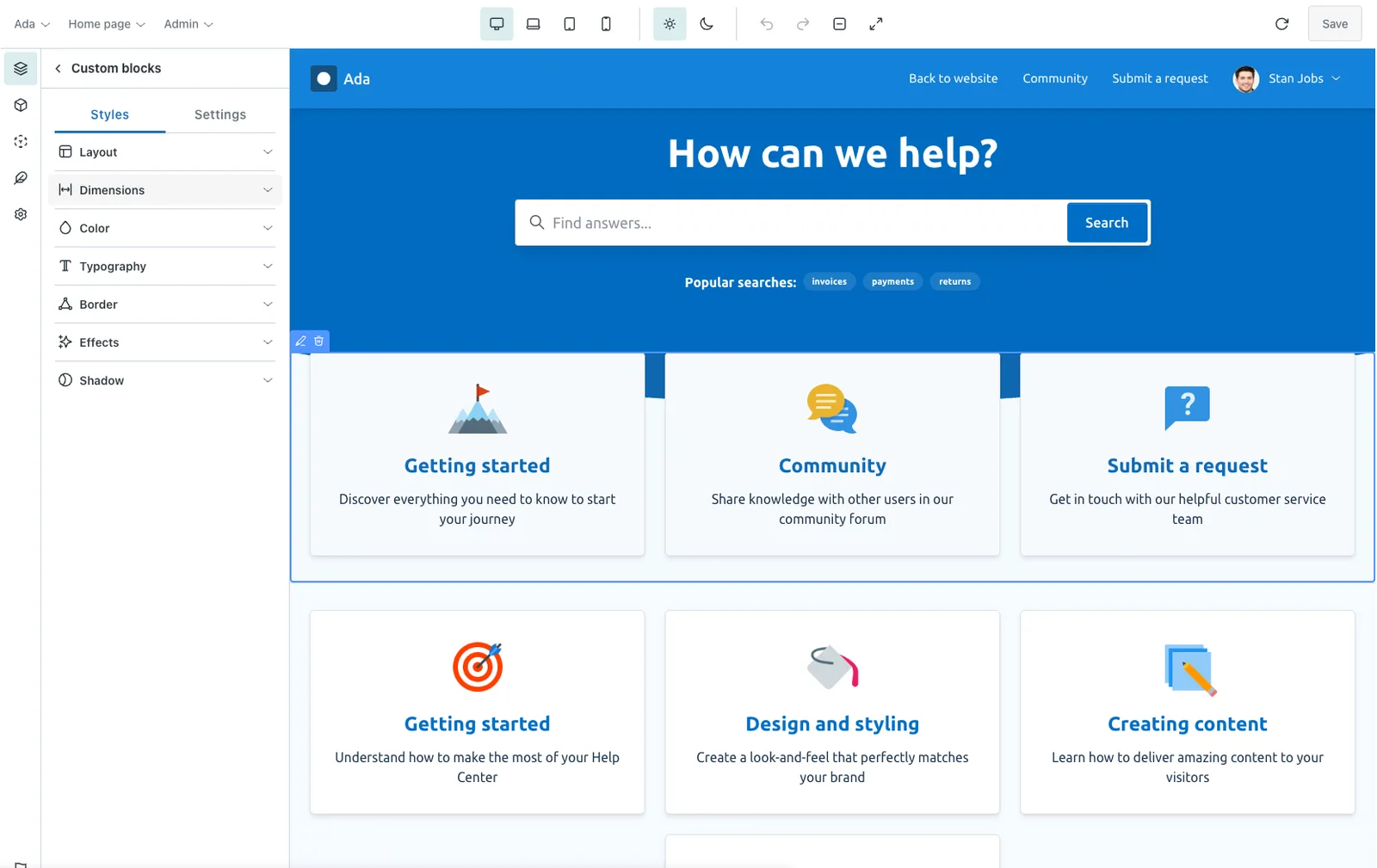
The visual builder is a no-code editor that runs right inside Zendesk. Open any of our themes, click on the part of the page you want to change, and edit it visually. You can add, move, hide and remove elements, restyle them, edit your global styles, design a dark mode and preview every page—all from a single, intuitive interface and all while you watch your changes happen in real time.
What you can do
Because the builder edits a real Zendesk theme rather than a locked-down set of settings, you’re free to take your help center exactly where you want it to go:
-
Design without limits
Go far beyond theme settings. Add, move, hide and remove elements on any page to create the exact layout you have in mind.
-
Edit global styles
Set your colors, typography, fonts, spacing and shadows once and have them applied consistently across your entire help center.
-
Design a dark mode
Give your help center a modern look that’s easier on the eyes in low light by styling a dark color scheme alongside your light one (Multi brand plan).
-
Get responsive right
Preview and fine-tune your design across desktop, laptop, tablet and mobile breakpoints so it looks great on every screen.
-
Preview every page
See your home, article, category, community, request and other pages render with real content as you build, and preview them as different user roles.
-
Stay in control
Try changes safely on a trial theme, step backwards and forwards with undo and redo, then save to your theme when you’re ready.
Built on the framework, not around it
The visual builder isn’t a separate website builder bolted onto Zendesk, it’s a friendly interface for the same theming framework that powers our themes. Every change you make visually is written back to standard theme files: settings, element markup and utility classes, page templates and style.css.
That means you’re never locked in. You can design visually today, hand the theme to a developer tomorrow, and the result is always a clean, standard Zendesk theme that you fully own.
You can try the visual builder with a free Zendesk Marketplace app trial and customize trial themes without a license. A Developer license is only needed when you install a theme in your Zendesk account. See accessing the visual builder to get started.